


RadarScope
3.92.79K Reviews
App Specs
- Version
- Varies with Device
- Updated On
- License
- $9.99
- Downloads
- 100,000+
- Developer
- Telvent DTN, LLC
- Categories
- Weather
- Platform
- Android, iOS
Screenshots
 Analysis by AppCompare
Ever found yourself caught in a storm and wondered just how bad it might get? Well, let me introduce you to an app that might just be your new best friend when it comes to weather tracking—RadarScope. I’ve spent some time playing around with it, and I’m here to share my thoughts on whether this powerful tool is worth a spot on your phone.
Getting Started with RadarScope
First off, downloading RadarScope from the app store was a breeze. It’s available for both Android and iOS, so no worries there. The app is designed specifically for those who need more than just a basic weather forecast. That means if you’re a weather enthusiast, storm chaser, or just someone who likes to stay informed, this is right up your alley.
User Interface and Features
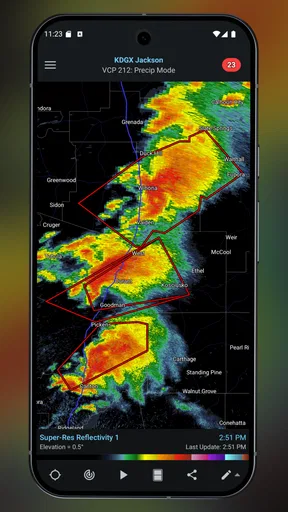
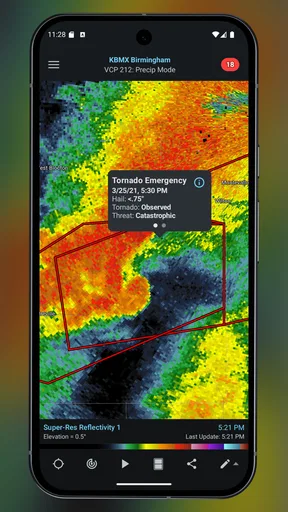
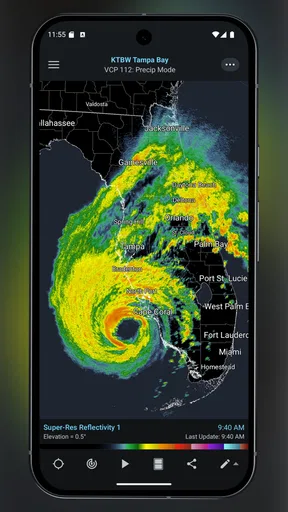
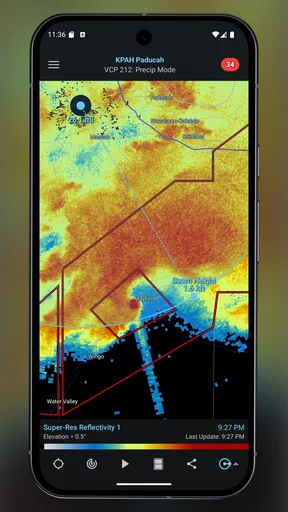
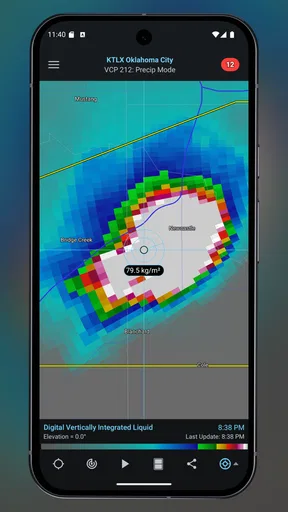
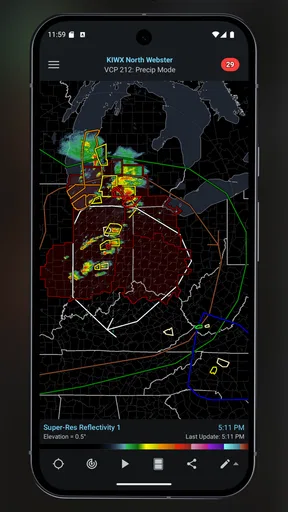
Opening the app for the first time, I was immediately struck by its no-nonsense interface. It’s clear that the developers focused on functionality over flashy design, which I appreciate. The main screen displays a radar map, and you can zoom in or out to get a detailed view of specific areas. The clarity and detail of the radar imagery are impressive, to say the least.
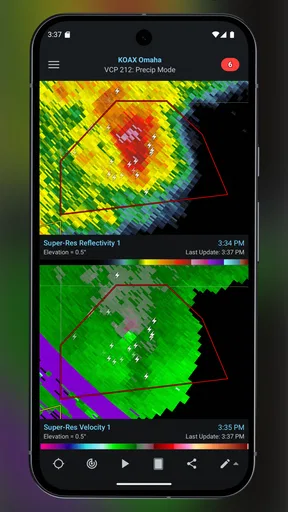
One of the standout features is the ability to view different radar products like reflectivity, velocity, and dual-polarization data. This is super handy if you’re trying to understand the dynamics of a storm. Plus, it offers a variety of map styles, so you can customize your view to suit your needs.
Performance and Accuracy
Now, let’s talk about performance. I tested the app during several different weather conditions, and it didn’t disappoint. The radar updates in real-time, and the accuracy is spot-on. This is crucial when you’re tracking severe weather, as it allows you to make informed decisions quickly.
The app runs smoothly without any noticeable lags or crashes, which is essential when you're monitoring fast-changing weather patterns. It’s equipped to handle large amounts of data, and I didn’t experience any slowdowns even when zooming in on high-detail maps.
Subscription Options
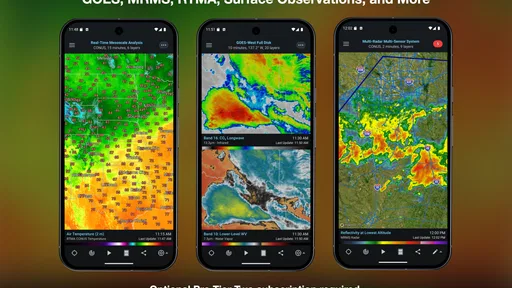
While the app is available for a one-time purchase, there are additional subscription options for those who want more advanced features. These include access to lightning data, extended radar loops, and more in-depth storm tracking tools. If you’re serious about weather tracking, the subscription could be worth considering. However, even the basic version offers a wealth of information that surpasses most other weather apps I’ve used.
Worth Reading Before You Choose

EA SPORTS FC Mobile 26 Is a Bigger Football Game, but It Takes Time

Flipboard Shows What News Apps Must Do Beyond the Feed

Switching to Android Auto Means Rethinking Your Driving Routine

Google Calendar Makes a Crowded Week Easier to Manage

Ludo King Makes the Most of the Minutes Between Plans

Baby Panda World Brings Quick Play to Modern Phones, but Its Game Library Feels Busy
Final Thoughts
So, is RadarScope worth it? In my opinion, absolutely. Whether you’re a weather geek like me or just someone who wants to stay safe during storm season, this app delivers reliable and detailed weather data. Its user-friendly interface and accurate radar imagery make it a standout choice in the crowded world of weather apps.
I’d recommend giving it a try, especially if you’re in an area prone to severe weather. With RadarScope on your phone, you’ll have a powerful tool to help you navigate whatever Mother Nature throws your way. Just remember to keep an eye on the sky and stay safe out there!
Pros
- High-resolution radar data available.
- Lightning-fast updates for storm tracking.
- Detailed information for weather enthusiasts.
- Customizable data layers for flexibility.
- Supports multiple radar sites for accuracy.
Cons
- Subscription needed for advanced features.
- Interface may be complex for beginners.
- Battery usage can be high on mobile.
- No offline mode for remote areas.
- Limited support for international locations.
FAQs for RadarScope
What is RadarScope and who is it for?
RadarScope is a professional-grade weather radar application designed for meteorologists, weather enthusiasts, and anyone interested in detailed radar data. It provides access to NEXRAD Level 3 and Super-Resolution radar data, allowing users to view and analyze severe weather conditions in real-time. It's ideal for those needing accurate weather information beyond standard forecasts.
What features does RadarScope offer?
RadarScope offers a range of features including high-resolution radar data, customizable radar displays, and the ability to view reflectivity, velocity, and other radar products. Users can track storms with detailed information, set up weather alerts, and access data from multiple radar sites. The app also supports advanced tools like dual-polarization radar data.
Is RadarScope available on both Android and iOS?
Yes, RadarScope is available on both Android and iOS platforms. The app provides a consistent experience across devices, allowing users to access the same features and radar data whether they are using a smartphone or a tablet. This cross-platform availability ensures that users can monitor weather conditions on the go.
Does RadarScope require a subscription or in-app purchases?
While RadarScope offers a one-time purchase for the app itself, it also provides optional subscription services like RadarScope Pro. These subscriptions give access to additional features such as real-time lightning data, extended radar loops, and more advanced tools for in-depth weather analysis. Users can choose the level of service based on their needs.
How accurate is the weather data provided by RadarScope?
RadarScope is highly regarded for its accuracy, as it provides data directly from the National Weather Service's NEXRAD radar network. This includes high-resolution Level 3 data, which is used by professional meteorologists. The app offers precise and reliable weather information, making it a trusted tool for severe weather tracking and analysis.


